How to Book a Rental Car Online: Step-by-Step Guide
Updated:
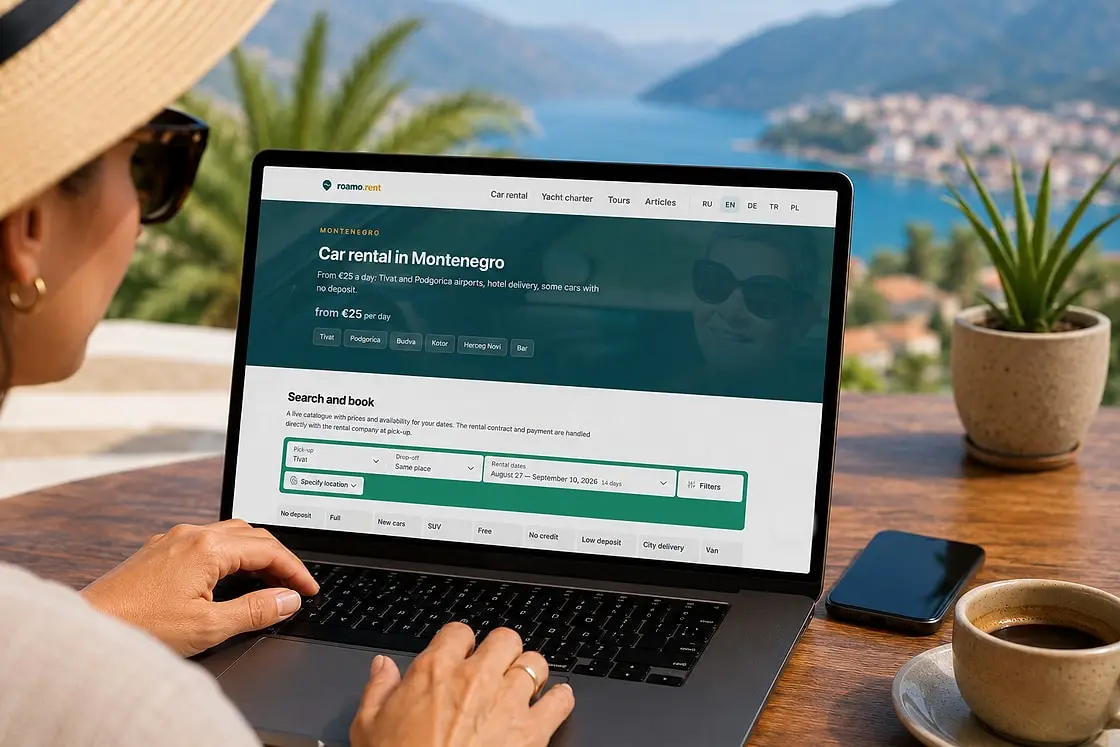
Booking a rental car online takes 10–15 minutes, even if you have never done it before. This guide walks through the whole process step by step — from picking dates to payment — and explains what every filter means, how insurance levels differ and which cards you can pay with. All screenshots were taken in the catalogue on the car rental page. The cars are let by independent rental companies, and your contract is with them.
Step 1. Choose the pick-up city and dates
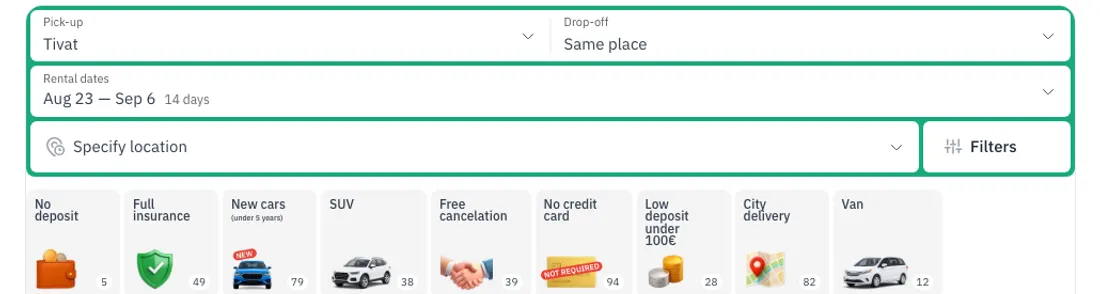
The search panel has three fields:
- Pick-up — the city where you collect the car, usually your arrival airport or the town you are staying in.
- Drop-off — “Same place” by default, but many cars can be returned in a different city: pick it here and the catalogue will show cars that allow it.
- Rental dates — pick-up and return days. The total price for the whole period is calculated before you book.
Tip: if you arrive by plane, choose airport pick-up — the car is brought right to the terminal, and you can add your flight number so they meet you even if the flight is delayed.
What the car rental filters mean
Below the search panel there are quick filters. The ones that raise the most questions:
- No deposit — nothing is blocked on your card and no cash is taken when you collect the car. There are fewer of these cars and they go first.
- Low deposit — there is a deposit, but a small one. With local rental companies it is usually €100–300, and it is returned as soon as you hand the car back, provided everything is in order.
- Full insurance — cars that can be covered against all damage (insurance levels are explained below).
- No credit card — a debit card or cash is enough. International rental chains usually block a deposit of €900–2,000 on a credit card specifically — here that is not required.
- Free cancellation — you can cancel the booking without losing the prepayment.
- New cars — vehicles no older than five years.
- City delivery — the car is brought to your hotel or apartment.
- Crossovers / Minivans — body types: crossovers for mountain roads, minivans for bigger groups.
Step 2. Pick a car in the catalogue
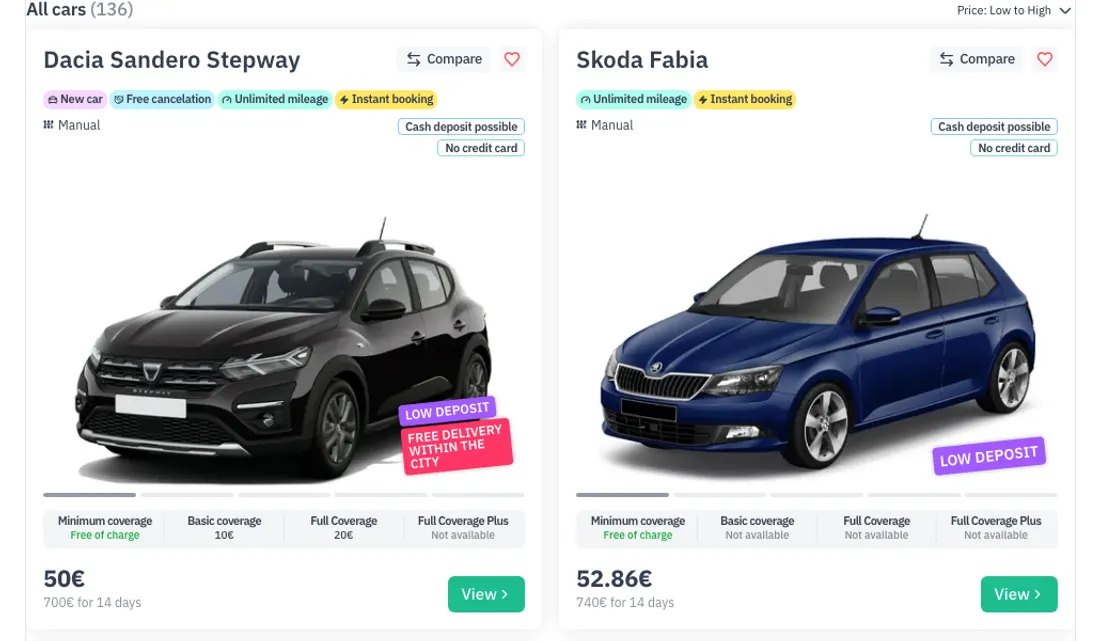
Each card shows a photo of the actual car (you get this exact vehicle, not a “similar” one), the price per day and the total for your dates, the gearbox and the key terms: mileage limit, deposit, payment options.
Note the badges:
- “Instant booking” — confirmation comes immediately, no waiting for the owner to reply.
- “Cash deposit possible” — the deposit can be left in cash, no card needed.
- The “Compare” button adds the car to a comparison list — handy when you are choosing between three or four options.
Step 3. The car page: insurance, deposit, conditions
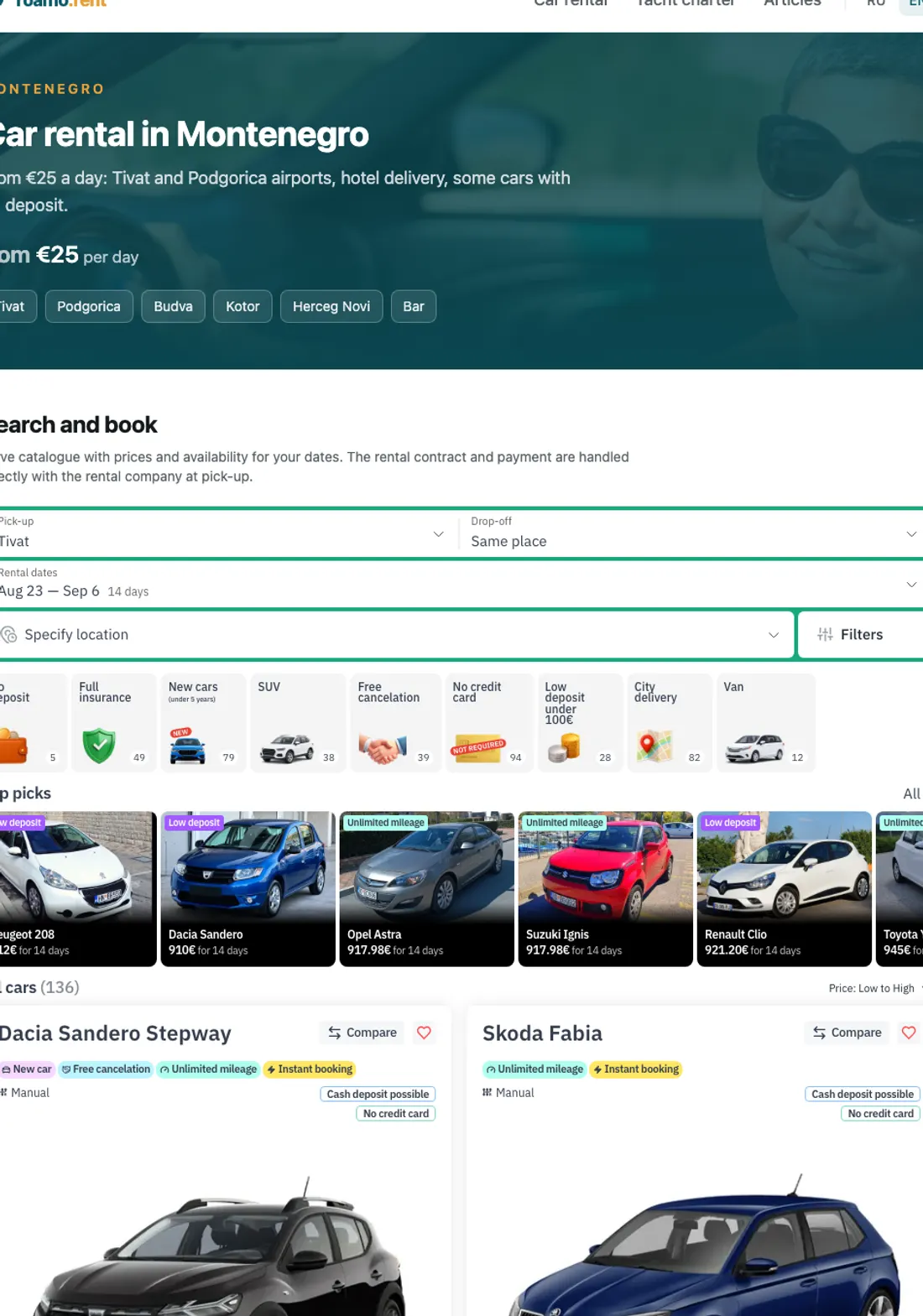
Click a car to open its page with the full calculation. What to check here:
- Total price and prepayment. Online you pay only a part of the sum — the rest is paid when you collect the car.
- Insurance. The protection levels:
- Minimal — mandatory third-party liability insurance, already included in the price;
- Basic protection — reduces your liability for damage;
- Full coverage — covers all damage (the equivalent of comprehensive cover) and usually lowers the deposit too.
- Refundable deposit — the amount you leave at pick-up and get back when you return the car. The page says how it can be paid: cash or card.
- Place and time — where exactly you collect the car and when.
Happy with everything? Press “Continue”.
Step 4. Booking: driver details
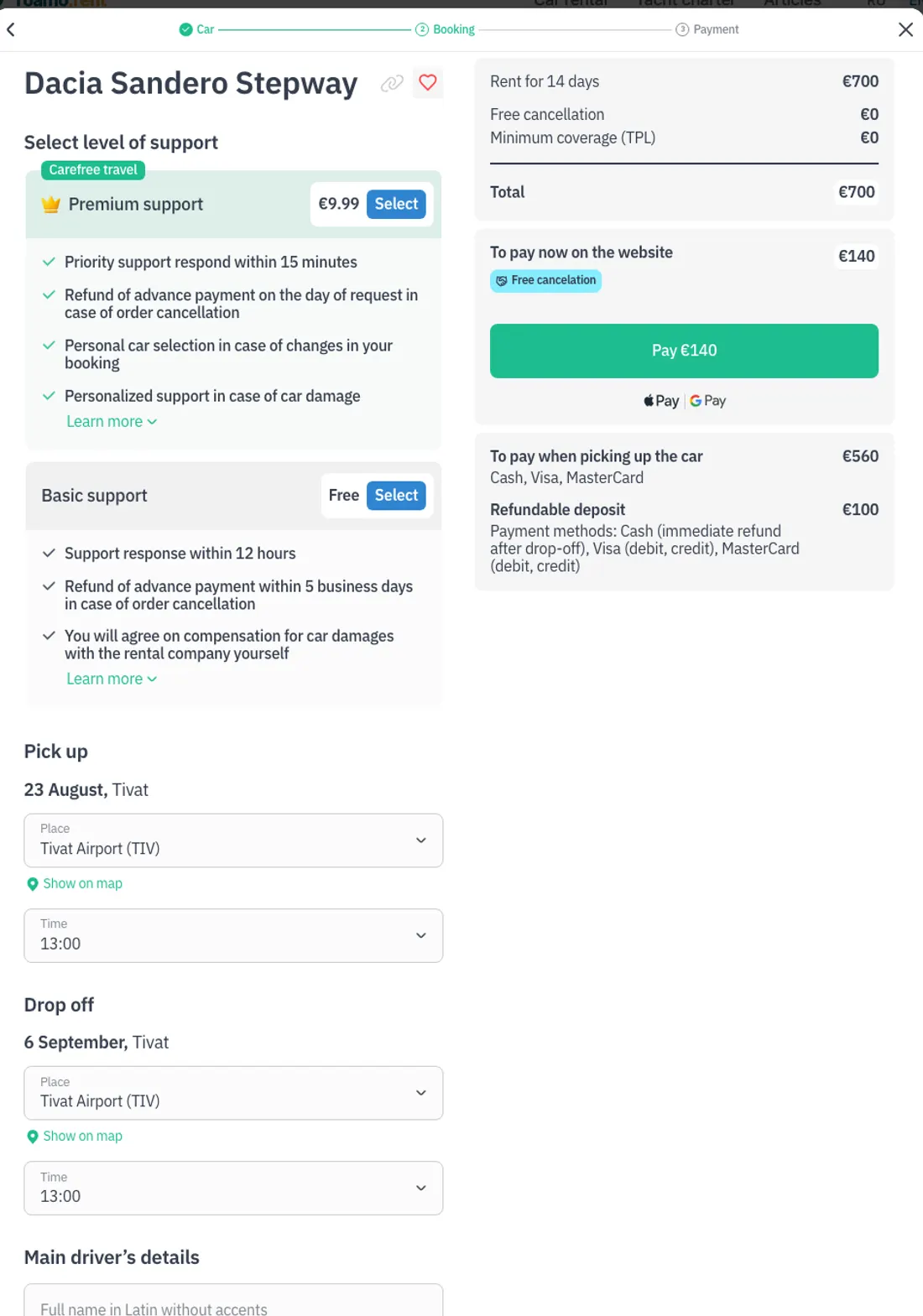
At the booking step you:
- double-check the pick-up and drop-off place and time;
- fill in the main driver’s details — name, phone and email for the confirmation. Your driving licence is needed only at pick-up; contacts are enough to book.
Which cards are accepted for payment
Only the prepayment is paid online, and the payment methods are shown right in the form. Visa and MasterCard from any bank are accepted, as are Apple Pay and Google Pay.
The remaining amount is paid when you collect the car — in cash or by Visa/MasterCard. The refundable deposit is paid the same way.
What happens after payment
A voucher with the booking details and contacts arrives by email. At the agreed time you are met with the car: you inspect it, note any existing scratches in the checklist, sign the contract with the rental company, pay the remaining amount — and drive off. Returning takes five to ten minutes: the car is inspected and the deposit is handed back. Local companies return it on the spot; if an international chain blocked it on your card, the release takes 5 to 30 days.
Frequently asked questions
Can I rent a car without a credit card? Yes. Use the “No credit card” filter — these cars accept the deposit in cash or by debit card, and some come with no deposit at all.
How far in advance should I book? In high season the best cars are booked out two to four weeks ahead. The earlier you book, the wider the choice and the lower the prices.
What if my flight is delayed? Add your flight number when booking — the rental company tracks the arrival time and waits for you. If plans change, bookings with free cancellation can be cancelled at no cost.
Do I need full coverage? It is optional, but it buys peace of mind: any damage is the insurer’s problem and the deposit is usually smaller. It makes most sense on mountain roads and unfamiliar routes. What CDW and the excess mean is explained in insurance and deposit explained.
Prices checked in September 2026. What happens at the desk when you collect the car is covered in car hire at Tivat and Podgorica airports.
Comments
No comments yet — be the first.